










Business websites
A fast, good-looking site for your business, written from what your HQ already knows: your services, prices, reviews and photos.
- Analytics
- File uploads
AI website builder
Booking apps, quote forms, client portals, member sign-ups and the tools your crew runs on. Theo, your AI web developer, builds them from a chat, hosts them and keeps them working.

Hair that feels like you.
Cuts, colour and care on Elm Street.
Book an appointment
Pick a service, a stylist and a time. We'll email a reminder the day before.
Cut & style60 min$85
Colour refresh90 min$140
Blow-dry40 min$55
Mon6
Tue7
Wed8
Thu9
Fri10
Tue 7 Oct · 10:30 with Ines
Confirm bookingHomes for sale in Travis County
38 homes · updated every morning

$649,000

$512,500

$1,150,000

$735,000
Lawns that look after themselves.
Mowing, planting and spring cleanups across Austin since 2011.
Get a free quote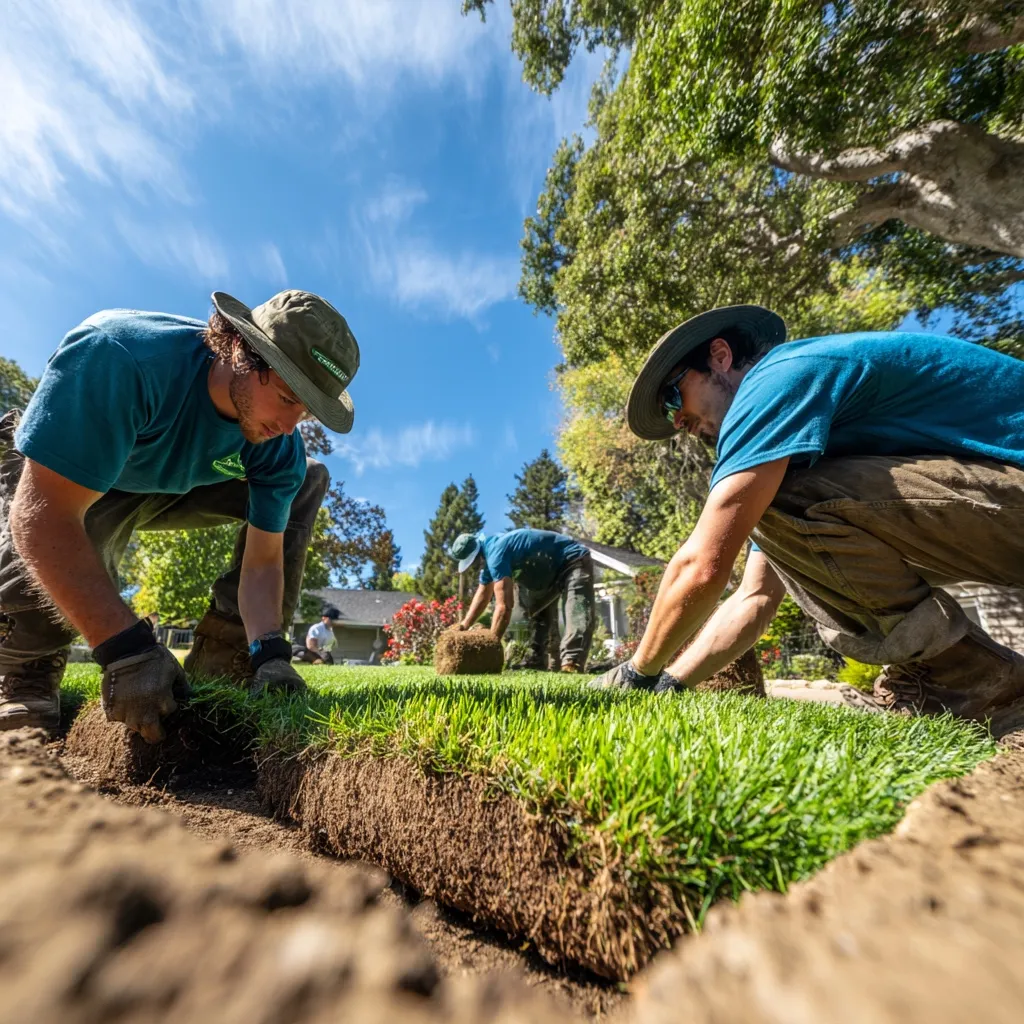
New lawns
Sod laid in a day

Planting
Beds, borders and mulch
Weekly care
Mowing and edging plans
Fresh from the field, every Thursday.
Join the 2026 season
112 of 150 spots taken
Small box
$28 / week
Feeds 1–2
Family box
$42 / week
Feeds 3–5
Pick-up only
$24 / week
Saturday market
Miller Crew
Signed in as
tom@millerlawn.co
Tuesday, 7 October
Today's jobs
Jobs today
6
Crew out
4
Quotes waiting
3
TimeCustomerJobCrewStatus
7:30Riverside HOASpring cleanupOmar, LuisDone
9:00412 Oak Ridge DrWeekly mow + edgeLuisIn progress
11:30Dana OrtizSod estimateNoraIn progress
1:00Cedar Park LibraryBed plantingOmar, AnaScheduled
3:3088 Birch StAerationAnaScheduled
4:45Grace OkaforQuote follow-upEmmaScheduled

OAKLINE BUILDERS
Kitchens, decks and additions done right.
Send us a few photos. We'll send a quote within two days.
Request a quote
Name
Rachel Kim
Phone
(512) 555-0143
Project
Rebuild the back deck, about 14 × 20 ft
Photos
+ Add photos
Timing
This summer
Send my request
OAKLINE BUILDERS
Client portal
See your project's photos, schedule and invoices.
Continue with Google
Only clients Oakline has invited can sign in.
Comfort all year. No surprise repairs.
Join the Comfort Club: two tune-ups a year, priority visits and 15% off parts.

Comfort Club
Pick a plan, we'll schedule your first visit.
Home$19 / mo
1 system · 2 visits a year
Home Plus$29 / mo
2 systems · filters included
Your address
Join and schedule
Every one runs on SmallForce hosting, with its own database and address.
All businesses shown are samples.
Local SEO
Before Theo writes a word, he researches what your customers type into Google, who ranks for it today and the questions they ask. Then every page is built for search engines and AI answers.

Keyword research
Second Nature · East Austin
SearchPer monthCompetition
hair salon east austin 1,900 Medium
balayage austin 1,300 High
curly haircut austin 480 Low
womens haircut near me 720 Medium
blow dry bar east austin 170 Low
8 competitors on the first page checked
12 questions people ask, answered on the site
Pages planned around the searches that fit
hair salon east austin
SNSecond Naturesecondnature.smallforce.site › book
Hair Salon in East Austin · Cuts, Colour & Balayage | Second Nature
Book a cut, colour or blow-dry with our East Austin stylists. Pick a time online and get a reminder the day before.
Do you take walk-ins?
How long does balayage take?
Is there parking on Elm Street?
Title, description and FAQ written by Theo for this page
Checked before it goes live
Release 14 · secondnature.smallforce.site
No one can promise rankings. Theo shows you the research and everything he changed, so you can see why each page is built the way it is.
Real search volumes, the sites ranking today and the questions people ask, for your town, not the whole country.
Clear pages and structured data that assistants like ChatGPT can read. Your analytics show which AI crawlers visit.
Connect your Google Business Profile and Theo sees which searches find you, and keeps the site and profile consistent.
What Theo builds
Every site comes with its own database, storage and background jobs, so Theo can build the things you'd usually hire a developer for.
Lawns that look after themselves.
Mowing, planting and spring cleanups across Austin since 2011.
Get a free quoteNew lawns
Sod laid in a day
Planting
Beds, borders and mulch
Weekly care
Mowing and edging plans
A fast, good-looking site for your business, written from what your HQ already knows: your services, prices, reviews and photos.
Hair that feels like you.
Cuts, colour and care on Elm Street.
Book an appointment
Pick a service, a stylist and a time. We'll email a reminder the day before.
Cut & style60 min$85
Colour refresh90 min$140
Blow-dry40 min$55
Mon6
Tue7
Wed8
Thu9
Fri10
Tue 7 Oct · 10:30 with Ines
Confirm bookingClients pick a service, a person and a time. Confirmations and day-before reminders go out on their own.
OAKLINE BUILDERS
Kitchens, decks and additions done right.
Send us a few photos. We'll send a quote within two days.
Request a quote
Name
Rachel Kim
Phone
(512) 555-0143
Project
Rebuild the back deck, about 14 × 20 ft
Photos
+ Add photos
Timing
This summer
Send my request
Customers send the details and photos. Every request is saved, summarised and emailed to you.
OAKLINE BUILDERS
Client portal
See your project's photos, schedule and invoices.
Continue with Google
Only clients Oakline has invited can sign in.
The clients you invite sign in with Google to see their project's photos, schedule and invoices.
Miller Crew
Signed in as
tom@millerlawn.co
Tuesday, 7 October
Today's jobs
Jobs today
6
Crew out
4
Quotes waiting
3
TimeCustomerJobCrewStatus
7:30Riverside HOASpring cleanupOmar, LuisDone
9:00412 Oak Ridge DrWeekly mow + edgeLuisIn progress
11:30Dana OrtizSod estimateNoraIn progress
1:00Cedar Park LibraryBed plantingOmar, AnaScheduled
3:3088 Birch StAerationAnaScheduled
4:45Grace OkaforQuote follow-upEmmaScheduled
A job board, a timesheet or a stock list, open only to the people who work with you.
Fresh from the field, every Thursday.
Join the 2026 season
112 of 150 spots taken
Small box
$28 / week
Feeds 1–2
Family box
$42 / week
Feeds 3–5
Pick-up only
$24 / week
Saturday market
Seasonal sign-ups with limited spots, and an email when there's news.
Homes for sale in Travis County
38 homes · updated every morning
$649,000
$512,500
$1,150,000
$735,000
Listings that refresh every morning, with search and saved favourites.
If you can explain it to a person, Theo can build it. A few things owners ask for:
Ask Theo in any chat
How it works
You don't write code, pick a template or set up hosting. You tell Theo what you want and check the result.
Describe the site or the change in a chat, the way you'd brief a developer. From the dashboard, the iPhone app or anywhere you talk to your team.
Hair that feels like you.
Cuts, colour and care on Elm Street.
Book an appointment
Pick a service, a stylist and a time. We'll email a reminder the day before.
Cut & style60 min$85
Colour refresh90 min$140
Blow-dry40 min$55
Mon6
Tue7
Wed8
Thu9
Fri10
Tue 7 Oct · 10:30 with Ines
Confirm bookingTheo builds it on a private preview link first and checks it on phone and desktop. Click around, book a test slot, ask for tweaks.
Say the word and the release goes live at your address. Your live site doesn't change until you do.
Theo designs from what your HQ knows: your logo, photos, services and the way you talk.
Need a hero photo or an illustration? Theo can generate one that fits the design.
New prices, a new page, a holiday banner. Ask in a sentence and Theo puts it on the preview.
Under the hood
The parts a developer would normally wire together from five different services are already there. Theo uses whichever ones the job needs.
Customers, bookings, orders, anything your site needs to remember.
SQLite · 100 MB to start
Photos and documents your visitors upload, stored safely.
500 MB · 25 MB per file
Multi-step jobs that wait for days, retry on failure and pick up where they left off.
Steps · waits · retries
Slow work runs after the page answers, so visitors never wait.
Retries · dead-letter queue
Reminders, reports and clean-ups that run on a timetable.
As often as every minute
Summaries, replies and sorting built right into your pages.
Runs on your AI credits
Send from Gmail, add to Google Calendar, update the tools you already use.
Keys never reach site code
API keys and passwords for other services, encrypted and write-only.
AES-256 · never shown again
Preview and Production keep separate data, files and settings, so testing a change never touches a real booking.
Workflows
A form shouldn't end at “thanks, we'll be in touch”. A workflow saves the request, emails you, waits and nudges, and keeps going even when something fails.
OAKLINE BUILDERS
Kitchens, decks and additions done right.
Send us a few photos. We'll send a quote within two days.
Request a quote
Name
Rachel Kim
Phone
(512) 555-0143
Project
Rebuild the back deck, about 14 × 20 ft
Photos
+ Add photos
Timing
This summer
Send my request
Workflow run
new-quote-request · #214
Started by Rachel Kim's request · Tue 9:14 am
Saved the request
Stored 2 photos
Wrote a summary
Deck rebuild, about 14 × 20 ft, wanted this summer. Photos show soft boards around three posts.
Emailed Tom the summary
Gmail timed out. Retried 30 s later and sent.
Waiting 2 days
If no quote went out, remind Tom
Workflows wait hours or days and retry a failed step on their own, without losing the work already done.
Emails go out from your connected Gmail. The site uses the connection but never sees the password or key.
See each step, what it did and how long it took, in the site's Observability tab.
Releases
Every change is a new release. It lands on the preview, you try it, and only then does it go live. Didn't like it? Promote the last good release and you're back.
Website environmentsAdd environment
ProductionReady
secondnature.smallforce.site
Release 13 · Waitlist when a day is full
PreviewReady
secondnature.preview.smallforce.site
Release 14 · Gift cards page
Promote to ProductionholidayReady
secondnature--holiday.preview.smallforce.site
Release 12 · December hours banner
Release historyEvery release is kept
Gift cards pagePreview
Theo · 12 min ago
Waitlist when a day is fullProduction
Theo · yesterday
December hours bannerholiday
Theo · 2 days ago
Ines's photo first
Theo · last week
New colour prices
Theo · last week
Booking reminders at 6 pm
Theo · 2 weeks ago
Only people on your SmallForce team can open a preview, so half-done work is never public.
Previews have their own database and files. A test booking never lands in the real calendar.
If a release doesn't build, it's marked failed and your live site keeps running as it was.
Access
Choose who can see each site. A public homepage, a client portal for the customers you invite, or a tool only your staff can open.
Who can view this website
Oakline client portal · Security
OAKLINE BUILDERS
Client portal
See your project's photos, schedule and invoices.
Continue with Google
Only clients Oakline has invited can sign in.
Analytics
Visitors, top pages and where they came from, with no tracking script to add and no visitor IPs or cookies stored. Plus the AI assistants and search engines reading your site.
Second Nature bookingsLast 14 days
EditAnalyticsObservabilityReleasesSecurity
Visitors
1,284
Pageviews
3,902
Pages per visitor
3.0
Traffic over time
Top pages
Traffic sources
Crawler activityAI and search
Googlebot
Search · verified
GPTBot
OpenAI · verified
Bingbot
Search · verified
PerplexityBot
Perplexity · verified
ClaudeBot
Anthropic · verified
Security
Sensible defaults for a bakery's homepage, and the controls an IT team expects for an internal tool. All in the site's Security tab.
Open a site only from your office or VPN addresses.
Choose exactly which outside services a site may talk to.
Control which scripts, fonts and images a page can load.
Decide which websites can show yours inside a frame.
Floods of requests are turned away before they reach your app.
Keys are encrypted when saved and never shown again, even to you.
Included
Hosting, databases, storage and analytics come with your HQ. No hosting bill, no plugins and no developer invoice.
AI features inside your sites, like writing summaries, use your plan's AI credits.
FAQ
Anything else? Ask Maya, our AI receptionist. She knows the product too.
It's Theo, an AI employee on your SmallForce team who builds websites and web apps from a chat. He writes the pages and the code, sets up the database, storage and background jobs the site needs, hosts it for you and changes it whenever you ask.
No. You describe what you want and try the preview. Theo writes the code, sets up the database and publishes it. If you do code, the source lives in your HQ's workspace and you can read every line.
Each site gets its own database, file storage for uploads, workflows that wait and retry, background queues, scheduled jobs and AI models. It can also use the apps you've connected to SmallForce, like sending email from your Gmail, without the site ever seeing your password or keys.
Theo builds every public site for search. He researches what local customers search for and who ranks today, then writes the titles, descriptions and structured data for each page and checks them before publishing. No one can guarantee rankings, so he shows you the research and what he changed. Keyword and competitor research uses your plan's credits.
Not yet. Every site gets its own address on smallforce.site, like yourbusiness.smallforce.site.
You choose for each site: everyone, anyone with a password, only the people you invite (they sign in with Google), or only your staff through your company sign-in. Previews are only ever visible to your SmallForce team.
Every change is a new release that goes to the preview first, so you try it before your visitors do. If a build fails, your live site keeps running as it was. If you publish something you don't like, promote an earlier release and the site is back.
On SmallForce hosting, at an address on smallforce.site. The source code lives in your HQ's workspace, so Theo can pick it up and change it any time.
Hosting, databases, storage and analytics are part of your SmallForce plan, from $149 a month. If a site uses AI features, like writing summaries, those use your plan's AI credits.
Describe it in a sentence. Theo builds it on a private preview, and you decide when it goes live.